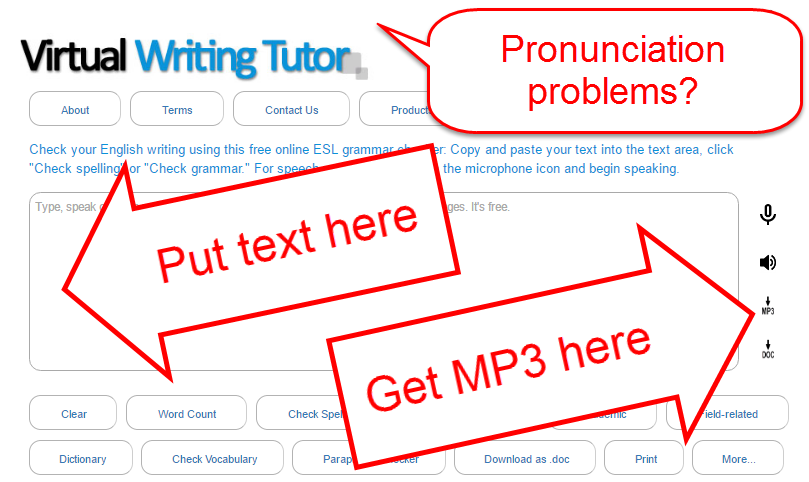
English is filled with silent letters and strange spellings, making it difficult to predict how to pronounce unfamiliar words. Help is here. Try the Virtual Writing Tutor's pronunciation checker to learn how to say this difficult to pronounce sentence.
Copy + paste the sentence below into the textbox. (1)
Click on the text-to-speech button. (2)
Learn the pronunciation.
A psychologist on the island of Montreal would slice a salmon with a knife instead of a sword, but a psychiatrist would listen to you laugh and cough on his couch.
You can download an MP3 of this or any text by clicking on the download button.
Check out the new features on VirtualWritingTutor.com. Here are five for members only, but we haven't stopped adding them yet. There are many more on their way. Remember that membership is free.
1. Saved Texts
The most recent addition is the "Saved Text" feature on the VirtualWritingTutor.com. Whenever members use the Virtual Writing Tutor to check grammar, the system saves the text to the member's profile. That way you never lose a draft, and you can go back to see the changes you made. If you want to delete a text for whatever reason, now you can. Notice the little hot link on the right hand side of the My Profile page, on the "Saved Text" tab. Click it to remove a text from the list.
2. Change Your Password
You can easily change your password for your VirtualWritingTutor.com account. Click on the "Change Password" tab and enter your new password twice and your old password once.
3. Recover Your Password
If you have forgotten your password, you can now have a copy of your password sent to your email address. Since only you can access your email inbox, only you can recover it.
4. Subscribe or Unsubscribe to Our Newsletter
We don't want to pester your with emails you don't want, so you can unsubscribe from our newsletter mailing list anytime and subscribe again just as easily.
5. Error Correction Game
We have a cool new way to improve your revision skills. It is coming soon to your "My Profile" page. Stay tuned. You'll love it!
Nobody likes to see bad feedback or false alarms while using the Virtual Writing Tutor. These little annoyances waste our time and mental energy.
That's why I put a lot of energy into reducing the number of false alarm messages the VWT generates. I do my very best to make sure you get only useful feedback. I'm making progress, but I can't imagine all of the sentences that users might write, so I can't eliminate all of these problems on my own.
I need your help!
That's why I added a "Report" button next to every feedback message the system generates.
If you receive bad feedback or a false alarm, click it! Here's what happens next for members. An alert will show asking you to confirm your decision to report the problem. Click OK.
The system will let you know if your report was successfully submitted for review.
Then, the report is stored in my Administration Panel so that I can review reports and make the changes necessary to eliminate the false alarm or fix the feedback.
I can then delete old reports and update the system so that you do not see that problem again.
Please use the "Report" button as often as you feel it is necessary. It is a big help to me, and you help all of the other users of the VirtualWritingTutor.com by improving the feedback that everyone gets on their texts.
One thing I have become acutely aware of while working on the VirtualWritingTutor.com ESL grammar checker is just how common some errors are in college students' writing. I see the same errors day after day, year after year. I could easily come up with a list of about 100 common errors that college students should avoid, but for the sake of brevity, here's an infographic with six undisputably common glitches in ESL writing.
In fact, all 4 are correct, but we use them in different situations.
I am 6 foot 2 inches. Use "6 foot" for informal speaking situations.
I am 6 feet 2 inches. This is the correct form for any situation.
I am 6'2". Use 6' as a short way to express 6 feet. Use double-prime (") for inches. Most people understand this shorthand for feet and inches.
I am 6 ft 2 in. The standard international abbreviation for feet is ft and inches is in.
Errors
Sometimes learners make the mistake of confusing the single prime (') and double prime (") and use the prime for inches and the double prime for feet. For example.
I am 6"2' tall. (Incorrect)
Other times, learners use both the prime and the word, which is redundant.
I am 6' feet 2" inches tall. (Incorrect)
Furthermore, learners sometimes use two apostrophes for a double prime instead of the " symbol. This should be avoided also.
 English is filled with silent letters and strange spellings, making it difficult to predict how to pronounce unfamiliar words. Help is here. Try the Virtual Writing Tutor's pronunciation checker to learn how to say this difficult to pronounce sentence.